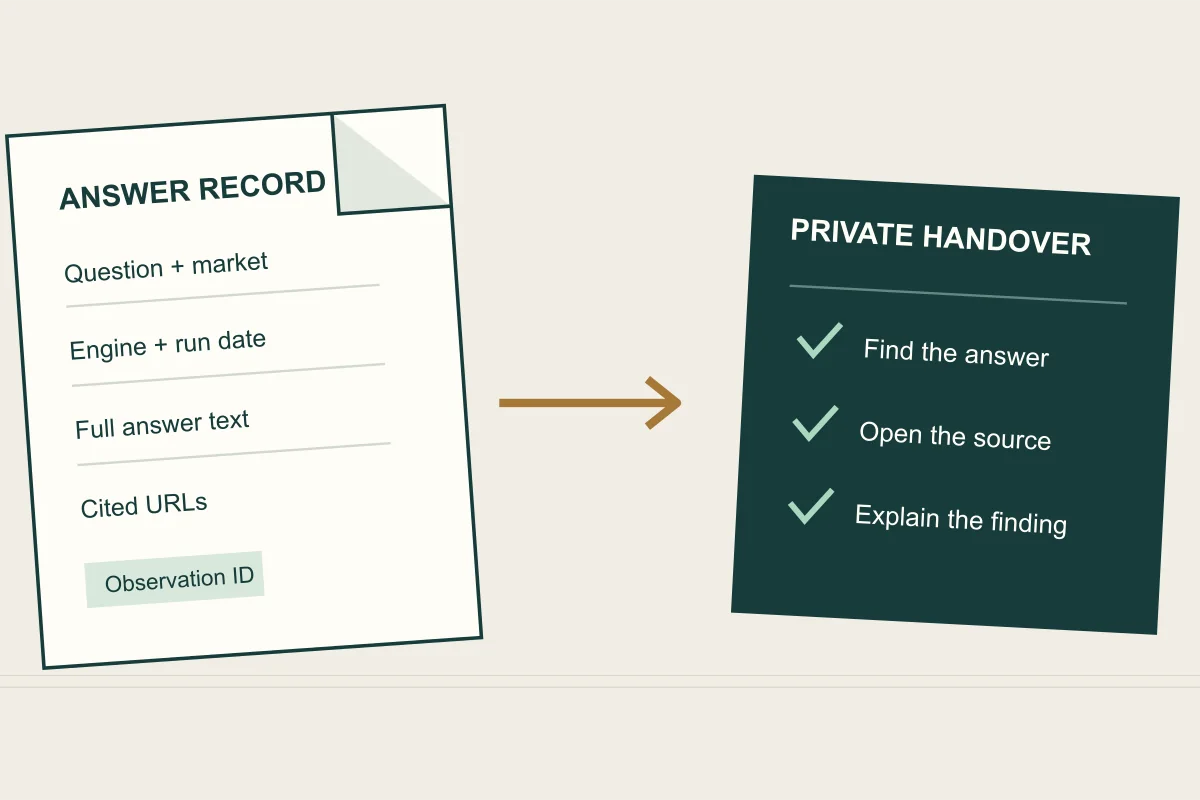
Before buying an AI visibility tracker, test whether you can retain the evidence your team needs outside its dashboard. Take one buyer question, retrieve its answers for a short date range and open the resulting file or connected report with the person who will use it. Check whether they can recover the exact wording, engine, observation date, answer text and cited URLs.
This matters for agency handovers, internal reviews and software changes. A chart may explain a trend during a meeting. Later, someone may need to read the answer that supported a content decision. Decide which of those jobs the export must do before comparing plans.
Choose the output your team actually needs
“Export” can mean a presentation, a table of summary metrics or access to individual observations. Each can be useful. A monthly PDF may be enough for an executive update; an analyst investigating a recommendation needs the underlying answer and its context.
| Work to complete | Useful output | Check in the trial |
|---|---|---|
| Present a monthly result | A dated report with filters and metric definitions. | Can the recipient tell which questions, engines and market it covers? |
| Review a recommendation | Full answer text linked to its prompt and run. | Can someone read what the answer says about the intended business? |
| Investigate a source | Exact citation URLs connected to the relevant answer. | Can the reviewer find the passage the link supports? |
| Build a recurring client report | A supported connector or repeatable data retrieval. | Are the required fields and historical dates available on the intended plan? |
| Hand over a project | An agreed archive of setup, observations and review notes. | Can the receiving team interpret it without the outgoing analyst? |
Vendor documentation illustrates why these requirements need separate checks. Peec AI documents a Data Studio connector for using project visibility data in custom reports. OtterlyAI documents an endpoint for prompt-level AI responses, with answer content, run details and citation information in its response example. These are different reporting interfaces. Confirm account access, fields and limits with each vendor; this guide is a buying exercise, not a tested comparison of their plans.
Run a small acceptance exercise
Use a question relevant to the business, a named market and two completed observation dates. Include a known recommendation, a source citation and an unavailable result if your cleared trial records contain them. Do not create unnecessary paid runs just to assemble the sample.
- Write down the filters visible in the dashboard, including the timezone and date range.
- Use the proposed export or reporting connection on the plan you intend to buy.
- Open the output independently. Find one answer by its prompt, engine and date.
- Compare its wording and source links with the saved dashboard answer.
- Ask a second reviewer to explain the result using only the agreed handover material.
If an analyst must manually copy an answer to complete the exercise, record that work and whether it is practical at your reporting volume. A manual archive can be sufficient for a small project. A recurring multi-client report may need a supported, repeatable route. Include staff time and any access charges in the AI tracking cost worksheet.
Keep an observation connected to its question
A useful evidence record retains the exact prompt, its topic or parent question, the named engine, configured market, observation time and outcome status. If the tool generates additional phrasings, keep the actual wording of each. Two similar-looking questions may ask for different kinds of recommendations.
For answers and citations stored in separate files, request a stable observation identifier in both. A URL list without that connection cannot establish which answer used each page. Keep the original URLs even if a separate reporting field groups them by domain or removes tracking parameters.
Check text handling too. Open a long answer with paragraph breaks, punctuation and several links. Make sure the output is complete and readable. Ask whether the export is limited to the rows currently displayed, the selected date range or the full history. If an API divides results into pages, the retrieval must follow those pages before calling the archive complete.
A handover example
Fictional example: an agency monitors “Which companies install accessible bathrooms in Northbridge?” One saved answer names Harbour Renovations as an option. Another links to Harbour's planning guide while recommending a different installer. A third observation has no available answer.
The handover should preserve all three outcomes. The first supports a recommendation finding. The second supports a source-citation finding. The third records incomplete coverage and needs its status explained. A table containing only the brand name and three dates would lose the distinction.
Have the receiving team mark which answer supports each finding and open the cited page. This checks whether the archive is usable without assuming that an exported mention flag proves a recommendation. Our brand-matching guide covers ambiguous names; the fair-testing guide explains how to keep observations comparable over time.
Agree what happens when access ends
Before renewal or cancellation, ask how much history you can retrieve, whether saved answers remain accessible and what happens to connected reports. Distinguish a downloaded archive from a dashboard that still depends on an active account. Get the relevant retention and access terms in writing rather than assuming a connector remains available indefinitely.
Keep client archives in an approved private destination. Restrict them to the people who need them, and check permission before sharing customer records with another service. Do not put credentials in a workbook, presentation or handover note. An export capability does not make the data suitable for public publication.
Also agree who owns the interpretation notes: changes made to the website, actual deployment dates, exclusions and unresolved questions. Those notes help a new team understand the record. Starting a different tool creates a new measurement series unless the collection methods are demonstrably comparable; imported history alone does not establish that equivalence.
Bring the evidence requirement to your Reputably trial
Reputably lets teams inspect saved answers, competitors and cited sources across ChatGPT, Gemini, Claude, Google AI Overviews and Google AI Mode. It fits teams that want to investigate buying questions alongside social listening and Google review management. Perplexity, Copilot and conventional keyword rank tracking are outside those five answer surfaces.
During a trial, open an answer for your market, read the text and follow a citation. Then confirm the supported handover or reporting route for the fields your team needs. This guide does not promise a particular bulk export, historical import or third-party connector. Use the buyer comparison to shortlist tools against those requirements, or start a Reputably trial with one real reporting task to evaluate.
Sources
- Data Studio connectorPeec AI · accessed 2026-10-30 · primary source
- List AI responses for a prompt in a brand reportOtterlyAI · accessed 2026-10-30 · primary source
- AI visibility trackingReputably · accessed 2026-10-30 · primary source