
The searches behind an AI answer can show you what your website has left unanswered. Read the searches, open the cited pages and compare them with your own. Then choose a useful edit instead of turning every phrase into another blog post.
When we reviewed a week of Reputably’s own results, 33 of 160 answers showed 69 searches. One phrase, “best social listening tools for lead generation 2026,” appeared nine times. It gave us a clear buying question to work on. The count tells us what happened in our checks; it is not a measure of search demand.
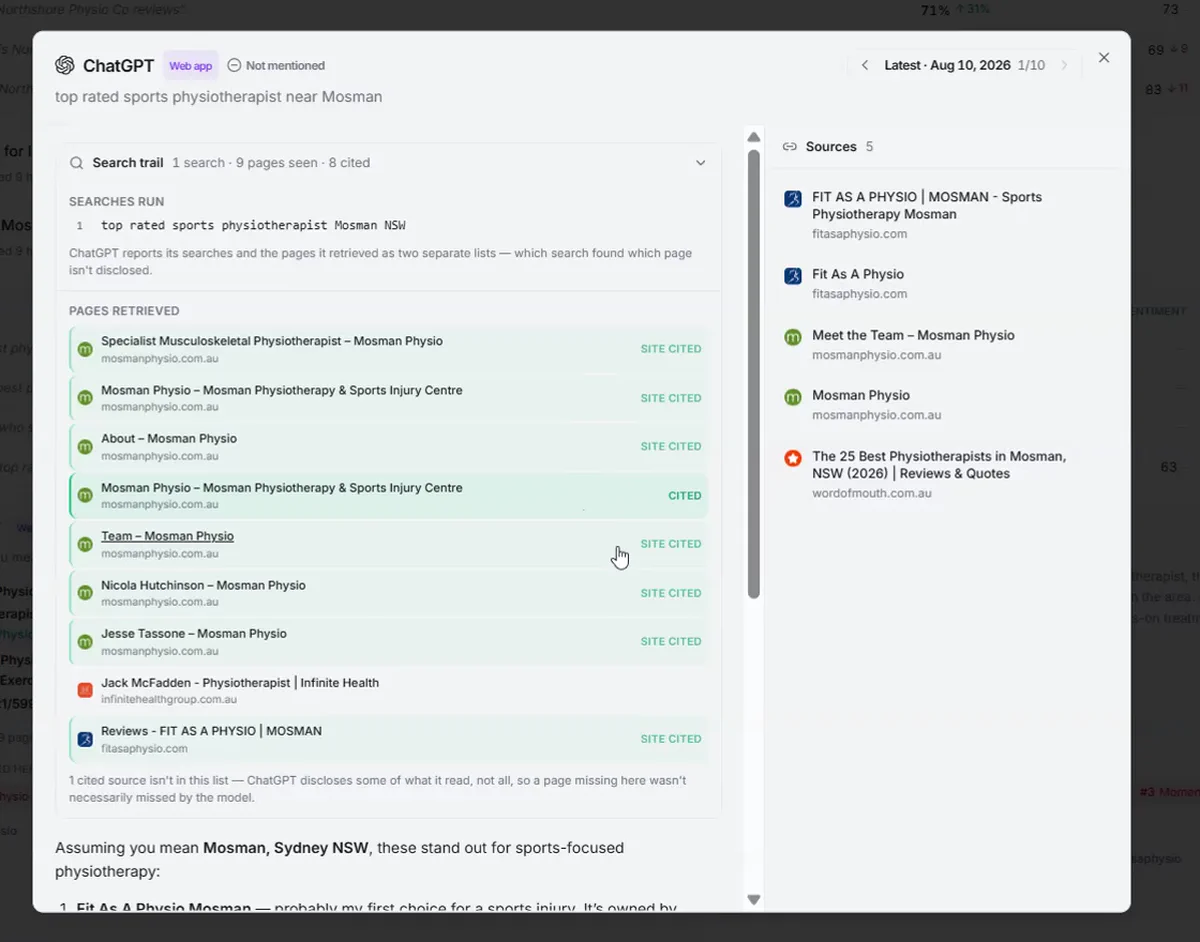
Keep the original question, searches and citations together
Start with one customer question. Save its wording, the engine, how the answer was collected, the date, the visible searches and the cited links together. Keeping these in one private record makes it much easier to understand a result when you return to it later.
| Signal | What it tells you | How to use it |
|---|---|---|
| Search query | The disclosed wording the engine searched | Understand the subtopic and the kind of evidence it sought |
| Surfaced page | A returned search hit or separately reported browsed page | Review what competing pages explain |
| Final citation | A URL recorded in the answer’s citation list | Find pages used as supporting sources |
You may be able to see which pages a particular search returned. Other tools provide only a list of sources for the whole answer. Work with what is available and leave the relationship unknown where it is not shown.
Group searches that ask for the same help
Several searches can point to the same need. “Best social listening software for lead generation” and “lead capture features comparison” both suggest someone choosing a tool. One good comparison may answer both. A setup tutorial has a different job: helping someone use the tool after they have chosen it.
Check what broad phrases mean before chasing them. “AI rank tracking” can mean Google keyword positions with AI features, or how often an assistant recommends a business. Reputably’s AI visibility tracking covers the second question. The page should make that clear.
Choose an existing page before opening a new draft
- Find the closest page. Does it already answer this buying decision?
- Inspect recurring cited sources. Note their comparison criteria, examples, evidence and unanswered questions. Do not treat their claims as independently verified.
- Name one useful improvement. For lead-generation software, that might be a comparison of qualification, service-area relevance and what happens after an alert.
- Add a reason to trust it. Include original examples, dated documentation checks, visible limitations and a clear explanation of the method.
- Connect the next step. Link a comparison to the relevant product workflow, and link the product page back to the guide.
For Reputably, that becomes a lead-generation comparison supported by a practical qualification guide. Our existing AI visibility comparison serves a separate buying decision.
Give the reader an answer they can use
Help the reader make the decision. In a comparison, explain who each option suits, what the price covers and where the limits are. In a tutorial, work through the task. If you publish research, put the method and scope in the article so readers can judge the findings.
Google recommends helpful content with original value and demonstrated experience. Its AI features guidance also stresses indexability, internal links and readable text. There is no special AI schema requirement that substitutes for those basics.
Check what happens after your edit
Keep a note of the page, your edit and the day it went live. Repeat your existing questions afterwards. Try new questions separately so you can still compare the original results.
- Availability: the correct page is live, internally linked and available for indexing.
- Discovery: the page gains search impressions or appears in disclosed retrieval evidence.
- Use: its URL is cited, or the brand is mentioned or recommended. Count these separately.
- Business outcome: relevant visits continue to a trial or another meaningful action.
Check the same engines and question wording more than once. Note failed answers and missing search details. If a later answer changes, consider other explanations too: the engine, competing pages or the way the answer was collected may have changed.
Look beyond your own website
Some searches name a particular vendor’s website. Your page cannot appear in those results. That is a reason to look beyond your own blog: keep your product information accurate and look for relevant publications where your product belongs. Contribute useful facts when you approach an editor.
Start with one page and one unanswered question. Make the edit, check it is live and return to the results over the following weeks. Our seven-day study shows what we found when we began.
Sources
- AI features and your websiteGoogle Search Central · accessed 2026-09-16 · primary source
- Creating helpful, reliable, people-first contentGoogle Search Central · accessed 2026-09-16 · primary source